
Manage your Talvu account, billing and CRM export
Use separate Gmail accounts, review subscription access, export CRM records and contact support without confusing CRM data with Google email.
In this guide
Work with several Google accounts
- Open the Gmail tab for the account you want to use.
- Connect Talvu with that same Google address when prompted.
- Switch Gmail tabs to work with each account's separate CRM.
Accounts do not share contacts, projects or tasks. Manage existing account is an account-management sign-in route that does not reconnect Gmail. Use it for the available account controls when Gmail connection is not needed.
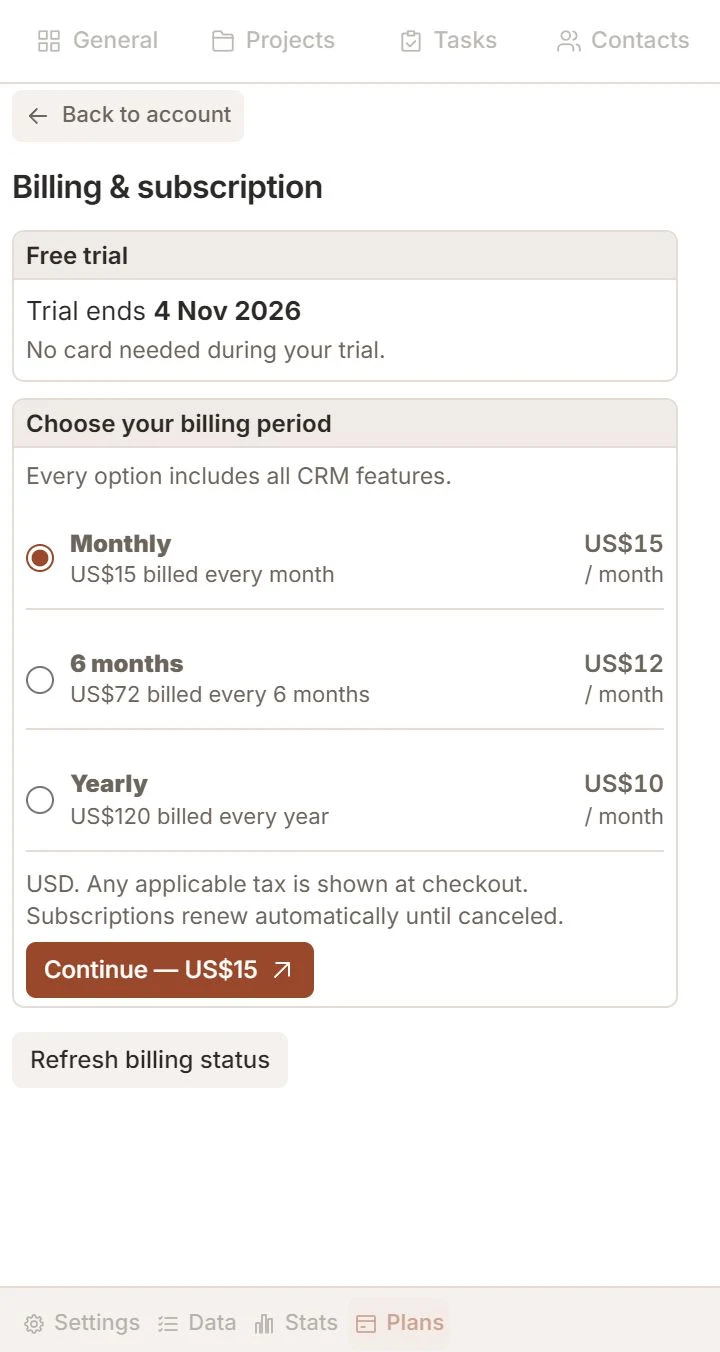
Review trial and subscription access
- Open Plans & billing and check your current access end date.
- Choose monthly, six-month or yearly billing and review the full charge before continuing to checkout.
- Return from checkout and refresh billing status if the updated access is not yet shown.
The 14-day trial starts with the first successful Gmail connection, without a card. USD totals are $15 monthly, $72 for six months and $120 yearly; applicable tax is shown at checkout. For an existing subscription, review the offered period change or cancellation. Canceling renewal preserves access through the confirmed paid end.
Export or disconnect safely
- Use Settings → Export to download the available CRM data in CSV or XLSX.
- Keep the stable identifiers when you need to match related records across export sheets.
- Use the account controls to disconnect Gmail, sign out or request confirmed account deletion, according to your goal.
Export includes CRM records and their relationships, notes and reminder configuration; it is not a Gmail backup or an import tool. Disconnecting preserves CRM data. Deleting Talvu data never deletes Gmail messages or external Google Contacts. Export and account deletion remain available after working access expires.
Get help and read system messages
- Open Support in the footer, write a clear description and choose Send.
- Edit or delete only your own support messages; an edited or deleted message keeps its place in the conversation.
- Open System messages beside Support to read announcements or hide one for yourself.
A red circled exclamation mark signals unread system messages. Only administrators edit announcements for everyone. Never send passwords, verification codes or payment-card details in chat. For public questions, email talvucrm@gmail.com.