
Show project notes as reminders in incoming Gmail
Use Future Me to bring a saved note back when a client writes again, until you mark the reminder done.
In this guide
Save a project note
- Open a project's Notes icon or the Notes action in its header.
- Write your note in Quick note and choose Add, or press Ctrl/Command+Enter.
- Use Edit or confirmed Delete on a saved note when necessary.
Notes are created inside a project. Each project has one note pool across its conversations. Text is limited to 5,000 characters. Load older notes without losing your place; unsaved text is protected when closing.
Turn on an email reminder
- Choose Remind on a saved note.
- Tick one or several addresses from the project's available addresses and confirm.
- Check the In emails marker and enabled toggle beside the note.
Reminders match new incoming mail from the selected exact addresses after activation. They can match a new conversation too. Enabling a reminder for a completed project is not allowed; Talvu explains this in the panel.
Read the reminder when a client writes
- Open a new incoming email from a selected address in Gmail.
- Read the Talvu remembers block at the top of the conversation.
- If several notes match, use the block's scrolling controls to read the others.
The reminder remains on each new matching email until completed or switched off. Several reminders can target the same person. Cards stay compact and do not become part of the email body or an outgoing reply.
Complete or adjust a reminder
- Choose Mark as done ✓ on the reminder card to finish it for every selected address.
- Use the note's toggle to switch reminding off or on; the note itself remains saved.
- Edit the selected addresses when the people involved change.
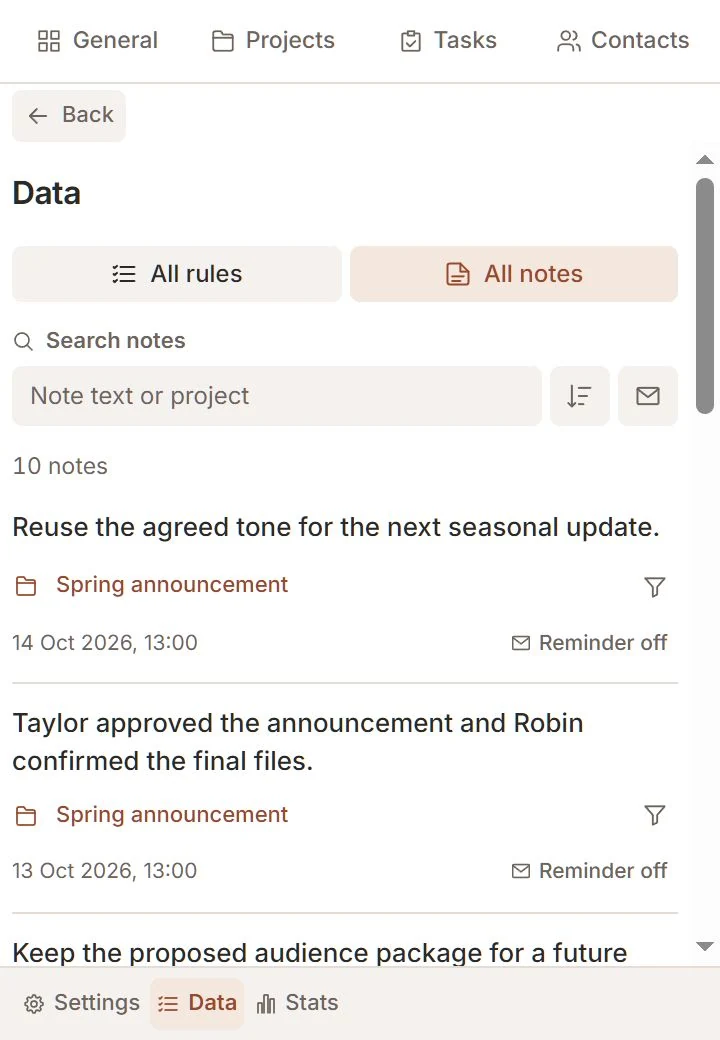
Existing selected addresses keep their activation point. Added addresses match only new mail after saving; removed addresses lose their cards. Removing every address switches the reminder off. Find all notes and active reminders in Data → All notes.