
Find CRM information in General, Data and Stats
Find the projects and tasks for an open email, search all project notes and manage your automatic linking rules from one place.
In this guide
Use General while reading Gmail
- Open an email and choose General in Talvu.
- Review the related Tasks, Linked Projects and Project fields blocks.
- Open a project, task or contact to continue the work you need.
General follows the selected conversation. Other projects connected to its contacts appear separately; sharing a contact does not itself link a conversation to every project.
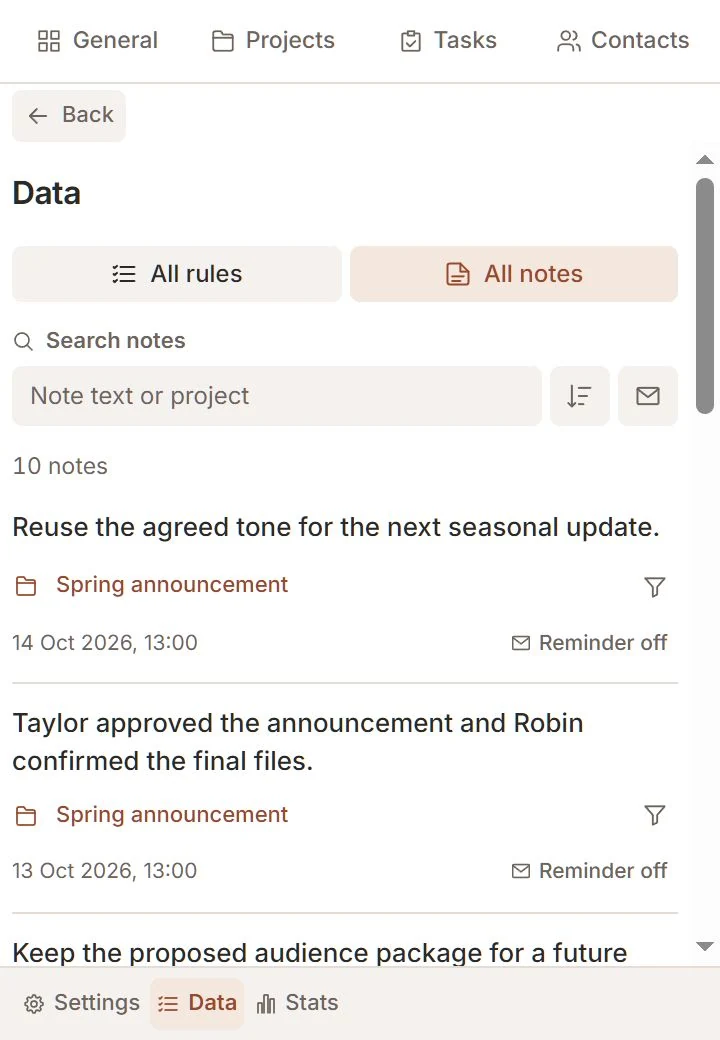
Search all project notes
- Choose Data → All notes in the footer.
- Search note text or project name and use the reminder filter icon beside search.
- Use sorting for newest or oldest notes, or choose By project to group them.
Notes initially appear together in date order. Follow a note's project link to work with that project's notes. New notes are created inside a project, not in the all-notes list.
Review all rules
- Switch to All rules without leaving Data.
- Use search to find an email, contact or project.
- Check the rule's switch or delete the rule when it is no longer useful.
Large lists load in pages. Use the available older/more controls instead of expecting every record to be downloaded at once. If loading fails, keep your search and use the recovery action offered.
Understand Stats
- Open Stats from the footer.
- Review the available CRM and synchronized-email statistics.
- Return to the relevant list to act on a particular project or task.
Statistics reflect Talvu's stored CRM information and selected synchronized metadata. They are not a complete analysis of all email in your Google account and do not measure whether a client opened a message.